
DRIFT AUDIO
Listen to this story
Choose a voice, then press play.
Reviewers agree the Soma Chroma sits better than any Razer chair yet — the RGB pitch is the part that hasn’t caught up.
In This Story
- What Razer Actually Shipped
- The Comfort Case Holds Up
- The RGB Pitch Is Still Looking for Its Purpose
- The Power Problem Nobody Fully Solved
- Where This Leaves Razer’s Immersion Bet
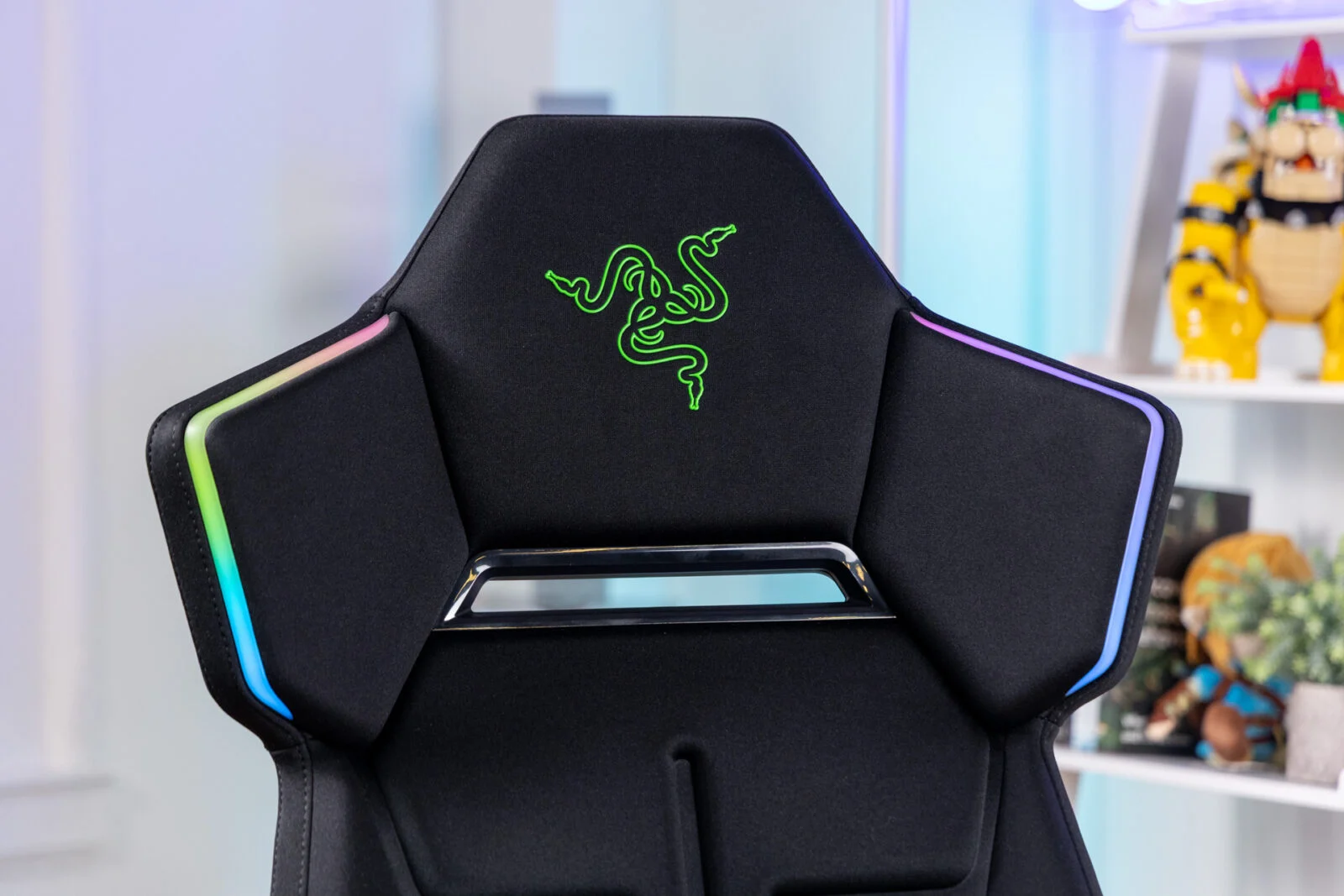
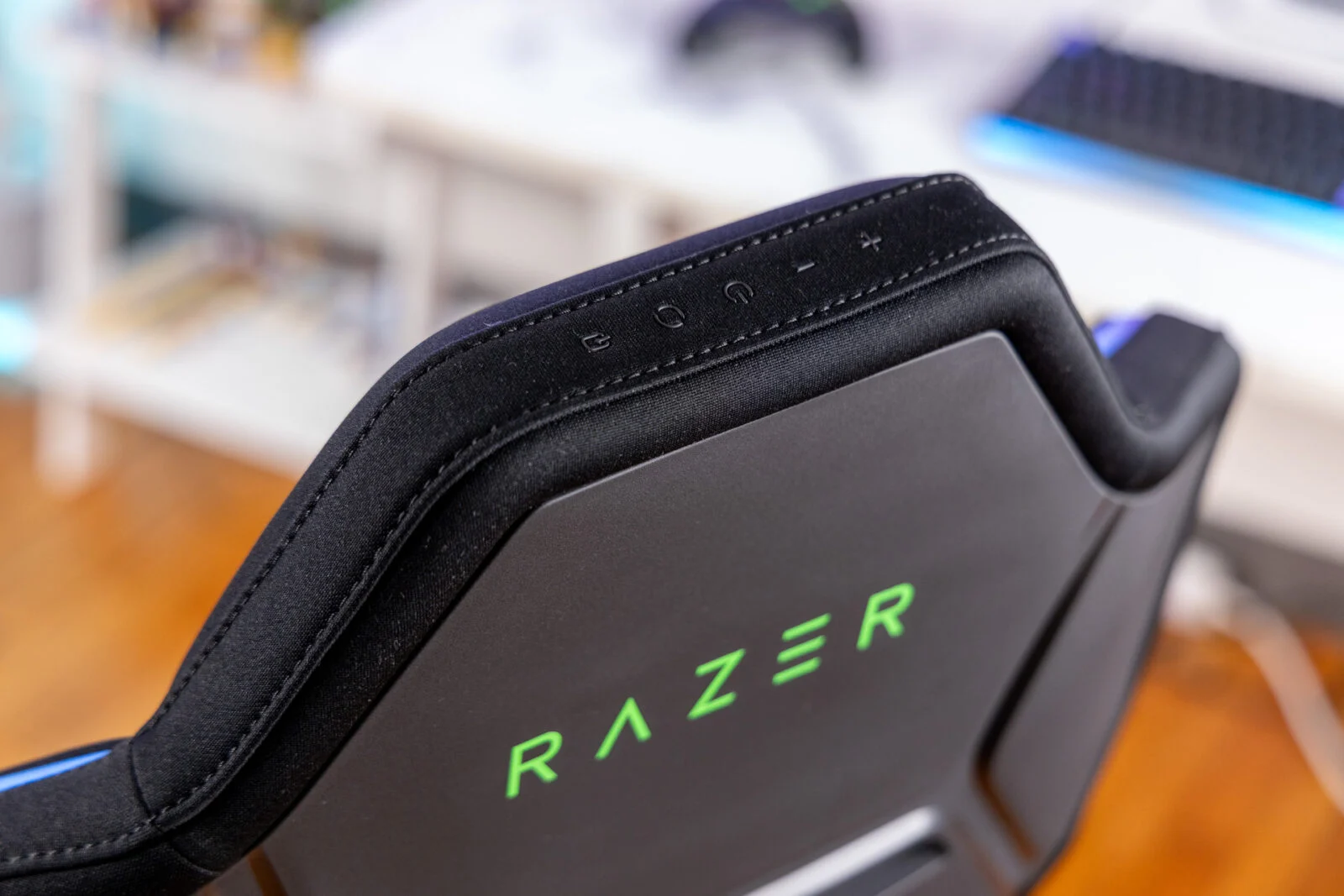
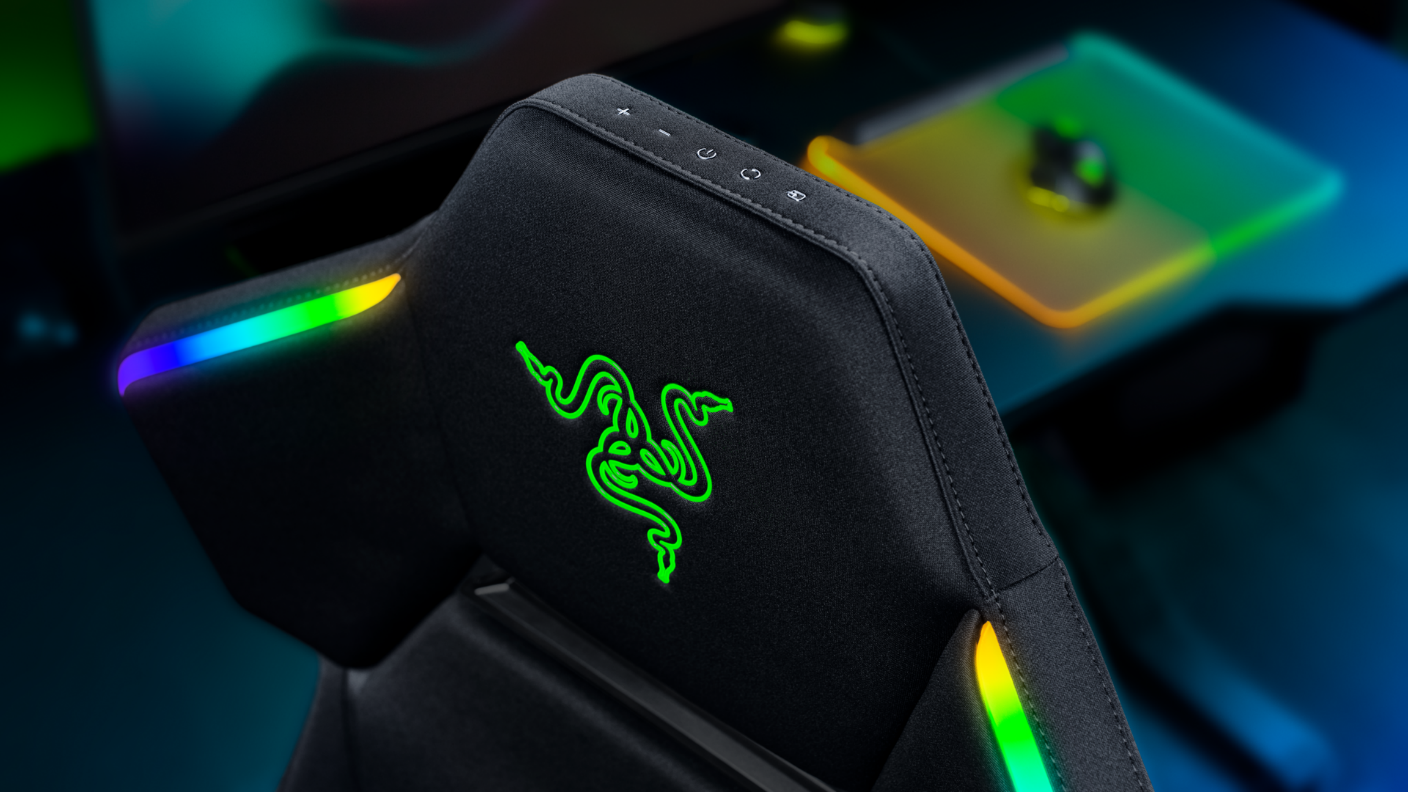
Razer launched the Soma Chroma worldwide on June 25, 2026, priced at $499.99 (€529.99), positioning it as the company’s first gaming chair with native RGB lighting built into the frame rather than bolted on as an accessory. According to Razer’s own newsroom announcement, the chair runs Chroma RGB lighting that reacts in real time across more than 300 integrated PC titles, tunable through Razer Synapse across 16.8 million colors and 10 lighting presets. The lighting itself sits around the shoulder wings of the headrest, and a built-in control panel lets users cycle effects, adjust brightness, or switch between a 2.4 GHz PC connection and Bluetooth mobile pairing without opening any software at all.
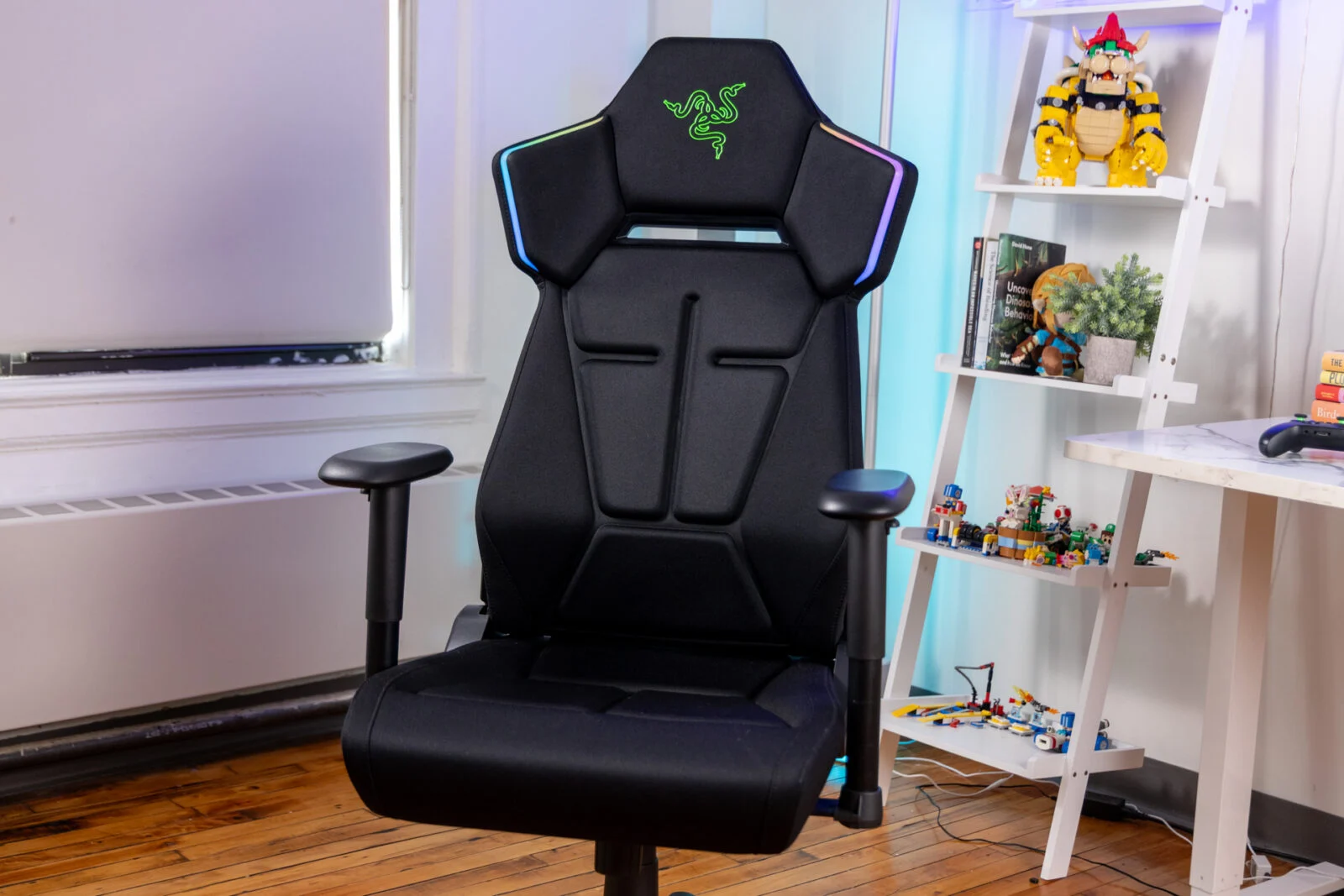
Underneath the lighting is a fairly conventional premium gaming chair. Razer built the Soma Chroma around a reinforced steel frame and a five-star steel wheelbase, rated for users between 5-foot-3 and 6-foot-6 and up to 331 pounds. The backrest reclines to 155 degrees, and the seat pairs a dual-density cold-cured foam cushion with a fixed, non-adjustable ergonomic lumbar arch — a deliberate step down from the adjustable HyperFlex lumbar system in Razer’s Iskur V2, as HotHardware’s review points out. The chair connects wirelessly via Razer’s HyperSpeed 2.4 GHz dongle for PC or Bluetooth LE for the companion Razer Furniture mobile app, and it carries a three-year limited warranty, extendable to five years for buyers who register directly through Razer’s own store.
@razer
Step into full-spectrum gaming with Razer’s most immersive gaming chair powered by Razer Chroma RGB. The Razer Soma Chroma extends Reactive Game Lighting beyond your desk and into your seat, seamlessly syncing with your Razer Chroma RGB-enabled setup to surround every moment with real-time visual feedback. Experience what it feels like to play fully immersed. Discover via our link in bio.
The Soma Chroma is also, notably, not Razer’s first attempt at a connected chair — just its first shipping one. The company’s own design blog traces the idea back through Project Brooklyn, a 2021 concept chair with a retractable display, and Project Madison, a CES 2026 concept that folded in THX-branded spatial audio and haptic feedback alongside the RGB. The Soma Chroma strips both of those extras out, leaving lighting and ergonomics as the retail-ready starting point for what Razer has said will eventually become a broader furniture lineup.
Leading that design process, according to Razer’s own account, was Charlie Bolton, the company’s Global Head of Design, whose team framed the project as a question of preserving everything buyers already expect from Razer seating while finding somewhere to put the RGB without it feeling tacked on. That meant treating the lighting and the ergonomics as two separate engineering problems that had to arrive at the same finish line together, rather than designing a lighting system first and retrofitting comfort around it. It’s a sequencing choice that shows up clearly in how the reviews split — nobody complained about the chair itself feeling compromised by its lighting hardware, which suggests that part of the brief was met even where the lighting’s actual value proposition remains contested.
Positioning matters here too. At €529.99, Basic Tutorials placed the Soma Chroma directly alongside Razer’s own Iskur in terms of price, while framing it as a fundamentally different purchasing decision: buyers aren’t just choosing a chair, they’re choosing whether they want that chair’s identity built partly around a lighting ecosystem they may or may not already own the rest of. That reframing is arguably the most useful lens for evaluating the product, since almost every review converges on a version of the same split verdict — strong chair, optional feature — once the marketing language is set aside.
View this post on Instagram
huh
Set the lighting gimmick aside for a moment, and the reviews line up almost unanimously on one point: this is a genuinely comfortable chair. GameRant’s reviewer used the Soma Chroma as a daily driver for a week straight — gaming, working, reading — and came away impressed enough to call it “devilishly cozy,” crediting the cold-cured foam cushion and the ergonomic lumbar arch for striking an unusually good balance between plush give and steady support. That review also praised the restrained, all-black design as a step away from the more aggressive “gamer” look of Razer’s Iskur line, without swinging so far the other way that it loses visual distinction entirely.
The fixed lumbar arch — Razer’s alternative to building in adjustable support — earned similarly consistent praise across outlets. Basic Tutorials’ technical breakdown noted that while buyers lose the ability to fine-tune the arch’s position compared with Razer’s adjustable 6D lumbar systems, the fixed contour has the advantage of not slipping out of place the way a floating lumbar pillow might over a long session. Assembly reviews were similarly low-drama: GameRant found the setup process comparable to any other office chair despite the added electronics, with no unexpected hiccups translating the tech integration into a physical build.
Where the design occasionally strains is in adjustability elsewhere on the frame. The armrests offer height and swivel adjustment, but taller users may find the ceiling on how high they raise a genuine limitation rather than a preference issue. It’s a minor complaint set against an otherwise well-reviewed ergonomic package, but worth flagging for anyone above the chair’s recommended height range who’s counting on the armrests to do more work.
The connectivity side of the setup experience drew similarly favorable notes. Pairing the chair to a PC via the bundled HyperSpeed dongle worked without the kind of driver hunting or firmware update loop that sometimes accompanies new Razer peripherals, and switching over to the companion mobile app over Bluetooth was described as similarly frictionless. That matters more than it might sound, since the Soma Chroma is effectively asking buyers to treat a chair as a piece of active hardware for the first time — any stumble in that pairing process would have undercut the comfort case before a reviewer even got to sit down. Instead, the chair’s software layer stayed mostly invisible unless a reviewer went looking to customize lighting profiles, which is roughly the right amount of visibility for a product whose core job is still just being a chair.
fetch
The lighting is, unavoidably, the reason this chair exists and the reason its reviews read more like arguments than verdicts. Gizmodo’s review put it most bluntly, describing the Soma Chroma as designed for people who care more about the gamer aesthetic than anything else, and noting that the RGB strips built into the headrest deliver comparatively little payoff relative to the rest of a synced Razer setup. In practice, the reviewer found that support across games is inconsistent — in one tested title, every other piece of connected Razer gear lit up in menus, but only the keyboard actually reacted once gameplay started, leaving the chair mostly idle during the moments it’s ostensibly built for.
GameRant’s take lands in a similar place from the comfort side of the argument: its reviewer called the namesake Chroma system “a gimmick” that a narrow slice of buyers will genuinely appreciate, while most will treat it as a cute novelty layered onto a chair that would already be worth buying without it. SiliconSnark’s opinion piece took the most generous reading of the concept, framing it as “a niche flex, possibly a beautiful overreach” rather than a mass-market product, and crediting Razer with at least having a coherent thesis — if every other piece of gaming hardware now behaves like a synchronized environment, the chair shouldn’t keep acting like neutral furniture.
That thesis is easier to admire in the abstract than to feel while actually sitting in the chair. Razer’s own marketing describes the Chroma-equipped Soma line as intended to function as a “living extension of the battlestation to enhance immersion and visual engagement,” per language cited in HotHardware’s coverage — a framing that assumes buyers already own enough Chroma-synced peripherals for the chair’s reactive lighting to register as anything more than background glow. For anyone without a keyboard, mouse pad, and headset already wired into the same ecosystem, the headline feature risks becoming the least noticeable part of the $499.99 purchase.
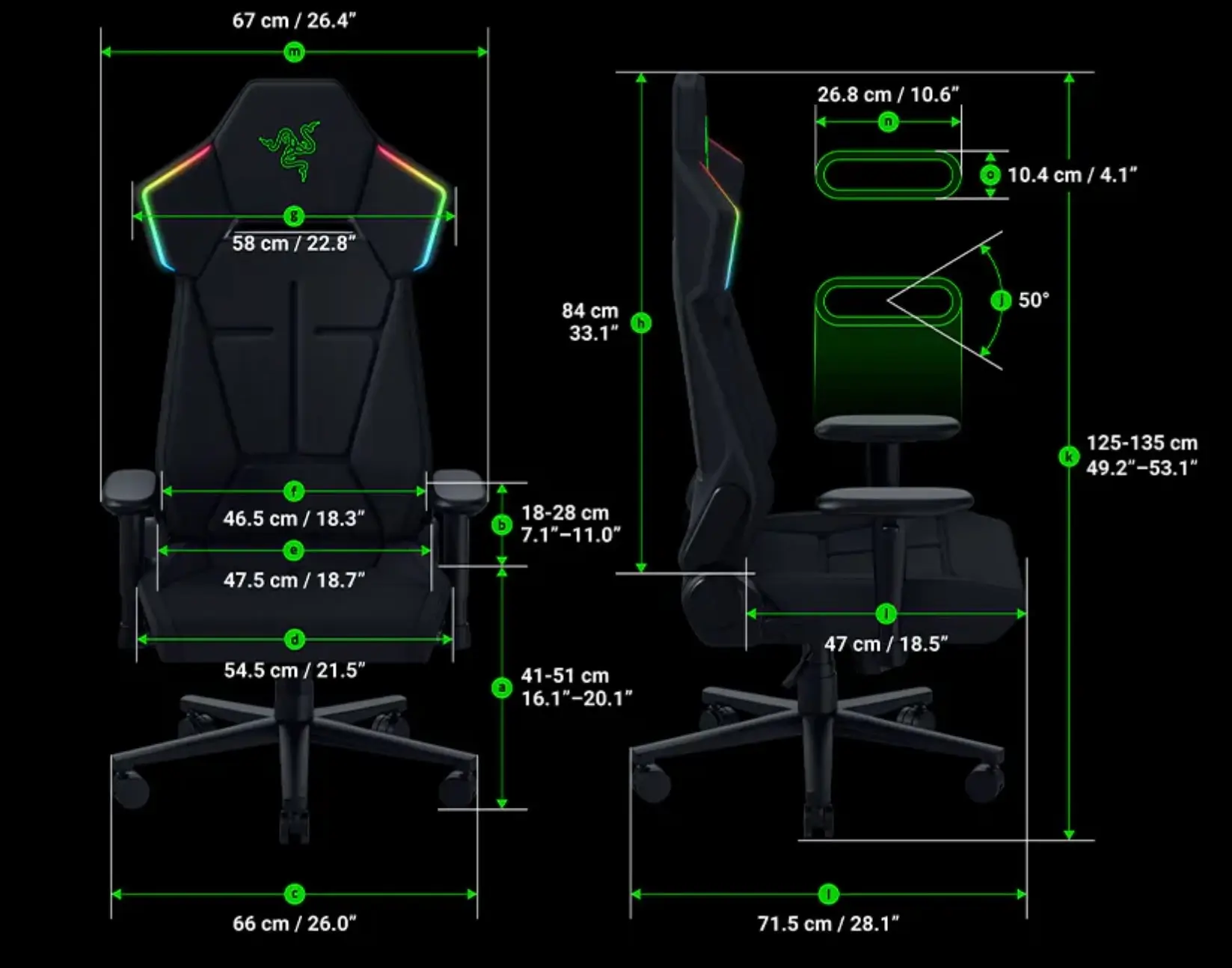
Official dimensions diagram detailing the Razer gaming chair’s measurements, adjustable, and ergonomic proportions.
resolve
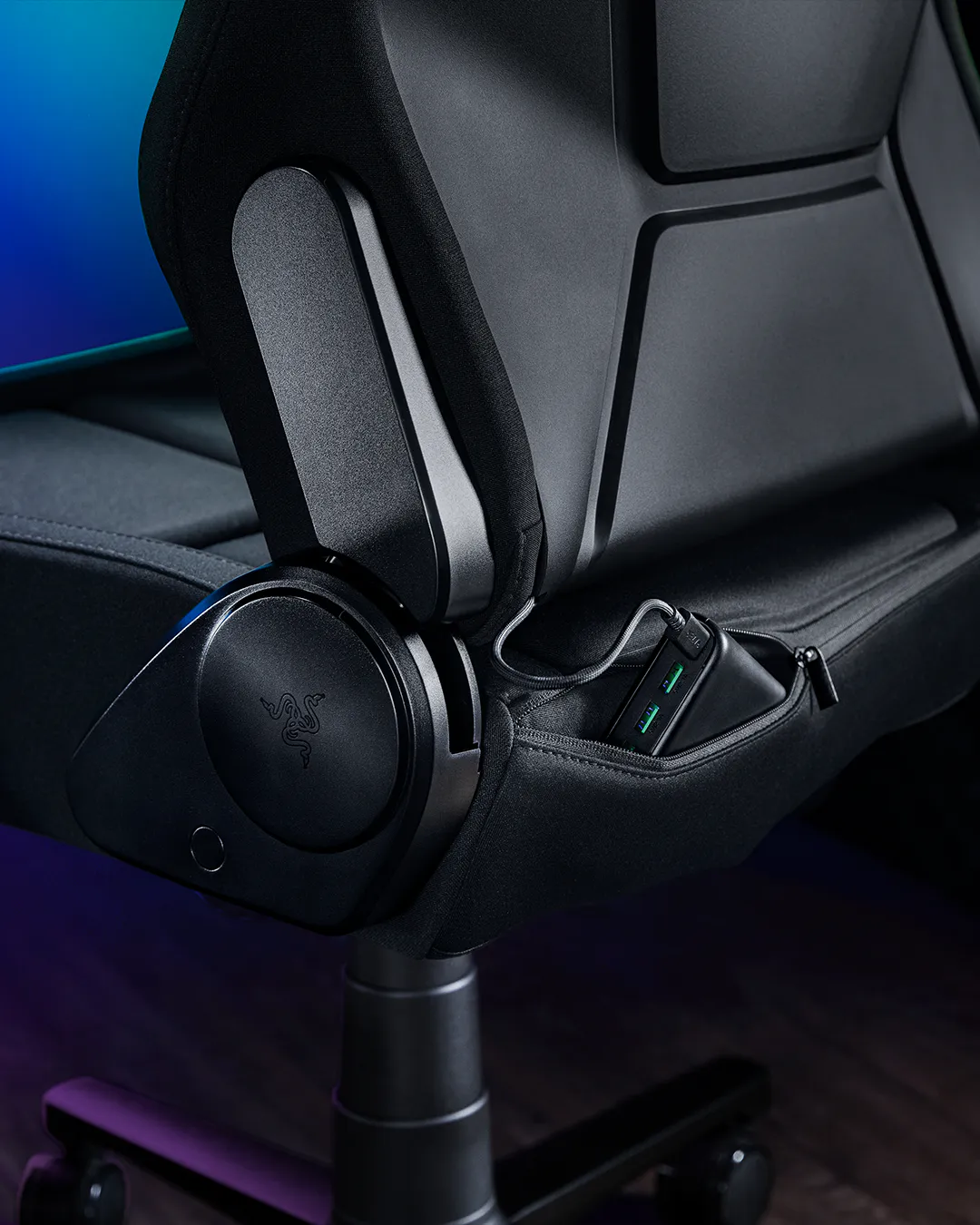
If there’s one issue every reviewer converged on independently, it’s power delivery. The Soma Chroma doesn’t include a wall-outlet cable; instead, Razer expects buyers to supply their own power bank or a separate USB-C extension run to an outlet, and the chair includes only a short built-in cable — Gizmodo measured it at roughly four inches — dangling from the backrest to meet whichever solution the buyer improvises. A zippered pocket behind the seat is built to hold a power bank out of sight, but getting there requires buying hardware Razer doesn’t put in the box.
That gap produced real friction in testing. Gizmodo’s reviewer described running into stability issues with a standard 10,000mAh power bank and ultimately needed a much larger 25,000mAh unit to keep the RGB running consistently, while flagging the more basic risk of trailing any cable near a chair’s rolling casters. Windows Central’s early testingrecommended sourcing at least a 20,000mAh, 20-watt-plus power bank with PD 2.0 support to run the lighting reliably — specific enough guidance to suggest Razer’s own documentation undersells how particular the chair is about its power source. GameRant, for its part, noted Razer supplied its review unit with a USB-C extension cord that made setup painless, but pointed out plainly that this accessory should probably just ship in the box rather than depend on a reviewer’s press-loaner goodwill.
The wireless framing itself invites some skepticism once you account for this. Data transmits wirelessly via HyperSpeed 2.4 GHz or Bluetooth, which does genuinely remove one dangling cable most gaming chairs never had to begin with — a connection to your PC. But the chair still needs continuous power from somewhere, whether that’s a wall adapter or a battery brick tucked into its storage pocket, which means “wireless” here describes the data connection rather than the chair’s relationship to electricity in general. It’s a fair trade for setups built around a clean look, but it’s also, as more than one outlet noted, one more rechargeable object to manage in a home already full of them.
There’s also a cost dimension to the power question that’s easy to miss if you only skim the $499.99 sticker price. A power bank capable of meeting Windows Central’s recommended 20,000mAh, 20-watt-plus, PD 2.0 threshold typically runs another $40 to $80 depending on brand, and a USB-C extension cable adds a few dollars more on top of that — neither expense is enormous on its own, but both are effectively mandatory rather than optional accessories, and neither ships in the box. Buyers coming from a traditional wall-powered gaming chair should budget for that step rather than assume the “wireless” chair simply works out of the crate the way the marketing copy implies.
fin
The Soma Chroma reads less like a finished statement and more like Razer publicly road-testing an idea it plans to keep building on. Razer has told outlets covering the launch that the Chroma is only the first entry in a broader Soma furniture line, with the CES 2026 Project Madison concept — RGB, haptics, and spatial audio combined — serving as the long-term template the retail version is working toward in stages. Stripped of haptics and audio for its first release, the Soma Chroma functions as a comfort-first chair with a lighting feature bolted on for buyers already deep enough into a synced setup to notice it.
That’s a defensible starting point, even if it means the most expensive and headline-generating part of the product is currently doing the least. Reviewers largely agree the ergonomics justify the price on their own — the fixed lumbar arch, the dual-density foam, the 155-degree recline, and the steel-frame build all land in line with what buyers expect from a premium gaming chair in this range. What’s still unresolved is whether the RGB half of the pitch, and the external power dependency that comes with it, will feel essential once Razer layers in the haptics and audio it’s clearly building toward, or whether it will keep reading as the awkward first draft of a much bigger idea. For now, the safest way to think about the Soma Chroma is as two products in one box: a well-reviewed chair, and a preview of furniture Razer isn’t quite finished building yet.
From the DRIFT archive: PANTONE’s 2026 Color of the Year Takes Shape With Play-Doh and Post-It Editions · Cornell Team Develops Ultrablack: The “Darkest Fabric Ever” That Reflects Close to No Light
Related Articles
Pocket-sized Xbox Ctrl
Xbox Nano Controller. Announced 14 October 2026 by James Hunter. $49.99. Rechargeable battery. Programmable Action Button. Xbox Wireless and Bluetooth.